
Platform Growth
How Small Channels Can Beat Big Creators (Smart Strategies)
July 25, 2026
Learn the best way to post on YouTube so the algorithm picks up your videos: practical steps for thumbnails, hooks, metadata, posting cadence, and analytics to get more views.
The YouTube algorithm rewards predictability, strong early engagement, and sustained watch time — but those are signals, not magic. Post the right way and you dramatically increase the chance YouTube will promote your video; post carelessly and even great content can get buried. This guide gives specific, repeatable steps you can apply today so the algorithm picks your uploads up faster.
The core signals YouTube favors are click-through rate (CTR), average view duration (AVD) and total watch time, audience retention patterns (especially the first 15–30 seconds), engagement (likes, comments, shares), and whether your video starts or continues sessions. In plain terms: You need people to click, stay, interact, and then keep watching other YouTube content. A high CTR with low retention will hurt you; a modest CTR with strong retention can win.
Actionable step: set benchmarks for each upload. A healthy target for many growing channels is a CTR between 4–8% and an average view duration equal to at least 30–40% of video length (for short content aim for 50%+ relative retention in the first 30 seconds). Track these in YouTube Analytics and compare your new upload to similar past videos — if retention is lower, iterate on hook and pacing next time.
The algorithm’s early-minute test decides whether to push your video beyond initial impressions. Successful creators use an aggressive 10–15 second hook that teases a clear payoff.
Examples: open with a surprising stat ("90% of people do this wrong…"), a visual jump-cut montage, or immediate value (show the end result of a tutorial). Avoid long preambles; tell viewers why to stay now.
Practical steps:
Script the first 60 seconds and practice cuts to hit the promise at 30–45 seconds.
Use a strong opening shot and an explicit on-camera promise within the first 10 seconds.
Add a pinned comment or early visual caption reiterating the payoff.
Tools like Hook Lab help brainstorm formats — for inspiration, see how a targeted hook improves click and watch metrics in real creator tests like those in our Hook Lab case studies.
Title + thumbnail = the algorithm’s doorway test. The goal is to maximize CTR from relevant audiences without resorting to clickbait that causes a retention drop.
Use thumbnails with one focal subject, readable text at mobile size, and a consistent style so subscribers instantly recognize your content.
For titles, lead with keywords but keep the emotional hook: "Fix Your Productivity Setup in 10 Minutes" beats "Productivity Tips".
Step-by-step: A/B test thumbnails in early impressions if you can (some creators use Community posts or short clips to test imagery).
Optimize descriptions with the top 2–3 keyword phrases in the first 150 characters, include a clear content outline or timestamps to improve SERP features, and add relevant hashtags that actually reach people.
Good thumbnails can raise CTR by 20–50% compared to a weak one; measure your own best-performing thumbnails and standardize what works.
Frequency and predictability help the algorithm learn and promote your channel. YouTube rewards channels that create session value — videos that lead viewers into more watch time.
Create a content rhythm (for many creators this is 1–3 uploads per week) and use playlists, end screens, and cards to guide viewers to the next related video. That increases session duration, which the algorithm values highly.
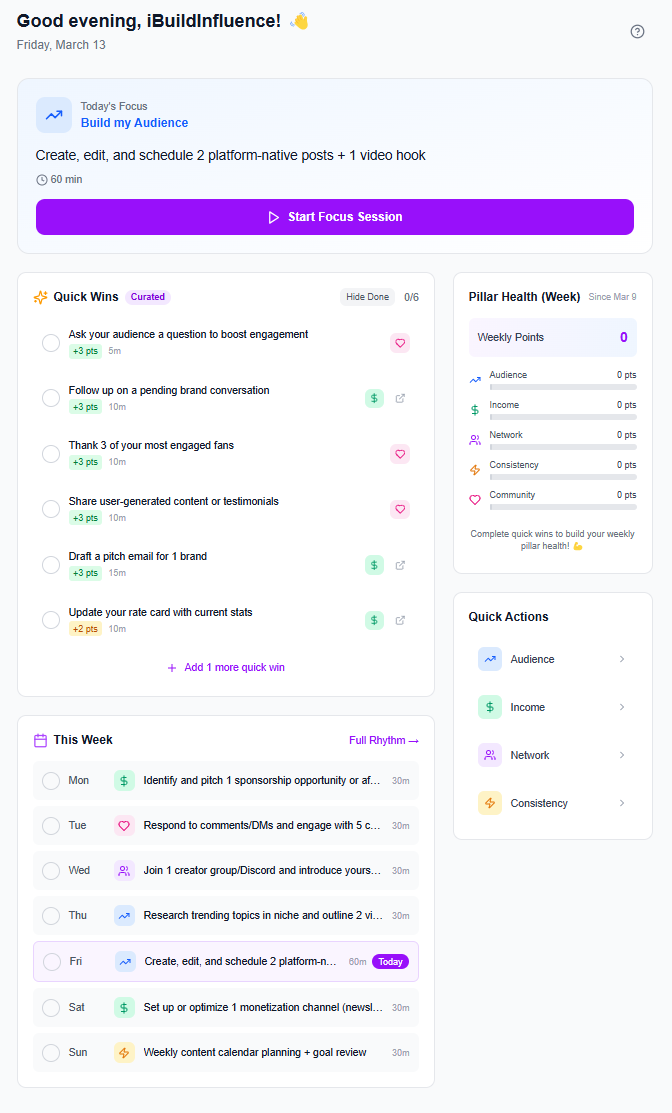
Practical example: release a pillar video every Tuesday and a follow-up short or community update on Friday. Add the Tuesday video to a themed playlist and set end screens pointing to the most-watched playlist video.
Track "next video" performance in Analytics to confirm viewers flow into your content; if not, adjust the playlist order or card destinations. For scheduling, use a content queue to maintain consistency without burnout.
Use a hypothesis-driven approach: pick one variable, change it, and compare performance to a matched baseline video (same topic, similar length). Small wins compound — improving early retention by 10% often multiplies distribution.
Examples of experiments: test whether a 30-second summary intro increases retention versus a 10-second cut-in; compare 8-minute versus 12-minute formats for the same subject; A/B your title phrasing (benefit-first vs curiosity-first).
Track results over 4–6 uploads to account for noise, and keep a simple spreadsheet of variables and outcomes so your content creator workflow becomes data-driven rather than guesswork. For spotting trends that give you the highest probability topics, use tools that find rising topics before they peak like Trend Scout.
Key insight: YouTube promotes videos that get people to click and keep watching the platform — focus first on an irresistible, truthful hook and sustained retention, then optimize metadata and playlists to convert those viewers into sessions.
iBuildInfluence provides practical tools that map directly to the steps above.
Hook Lab: Use for 50+ AI-scored hooks that help you craft the first 10–15 seconds; the platform’s examples and scoring cut weeks off testing.
Content Generator: Pair that with this tool to turn a single idea into a full content package (intro script, captions, short-form cuts) so your openings and first 60 seconds are tight and repeatable.
For ongoing testing and scheduling, iBuildInfluence offers these tools:
Content Planner & Content Queue: Keeps a consistent cadence.
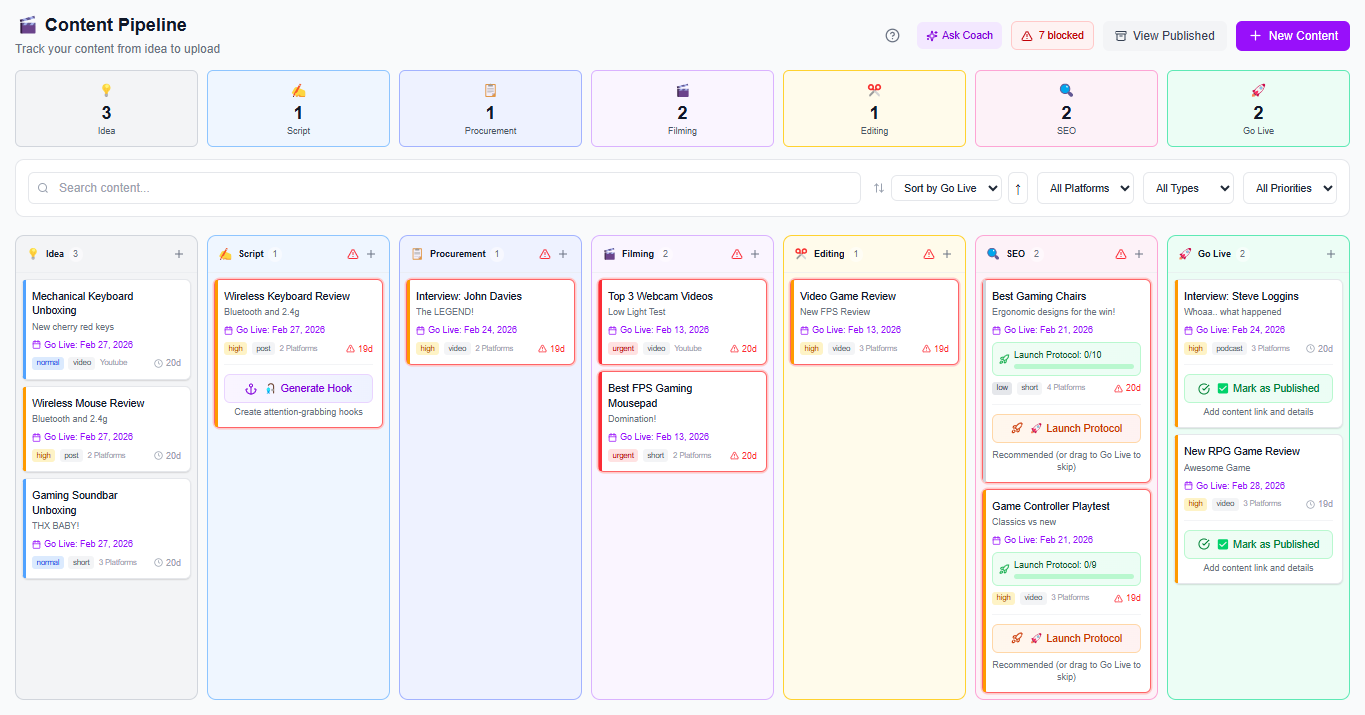
Trend Scout: Surfaces topics before they peak so your videos enter the algorithm at the right moment.
Social Statistics: Use to compare CTR and retention across platforms.
Creator Coach: Get personalized strategy advice based on your real channel data.
Post at a frequency you can sustain consistently — for most creators that’s 1–3 times per week. The algorithm favors predictability and consistent session-building, so consistency matters more than raw frequency. Use a content queue to batch-produce and schedule uploads without burning out.
The primary metrics are click-through rate (CTR), average view duration (AVD) and total watch time, audience retention especially in the first 15–30 seconds, and session starts. Engagement (likes, comments, shares) and returning viewers also influence distribution.
Both are crucial and work together: thumbnails draw the eye while titles communicate relevance. If you must prioritize, test thumbnails first (they often move CTR more), but always iterate titles in tandem — small improvements in either can lift CTR significantly when they’re aligned.
Hook first: craft a clear, compelling promise in the first 10–15 seconds to pass YouTube’s early-minute test.
Optimize metadata: thumbnails, titles, and descriptions must maximize relevant CTR without sacrificing retention.
Guide sessions: use playlists, end screens, and predictable cadence to increase session watch time.
Measure and iterate: run controlled experiments on thumbnails, hooks, and lengths and track CTR/retention.
Use the right tools: trend discovery, hook generators, and scheduling software make testing repeatable and scalable.
Found this helpful? Share it:
iBuildInfluence Team
Creator growth strategist at iBuildInfluence. Helping content creators land brand deals, grow their audience, and build sustainable creator businesses.
More from iBuildInfluenceJoin thousands of creators using iBuildInfluence to land brand deals, grow their audience, and build real income.
Start Free ΓÇö No Credit Card Required