Content Strategy
Why Posting More Isn’t the Answer: Grow Smarter in 2026
July 9, 2026
Learn YouTube CTR mastery with thumbnail rules, hook frameworks, and viewer psychology tactics to boost rankings and subscribers.

Your thumbnail and first 30 seconds decide whether people click, watch, and trust your channel—or scroll past you forever. YouTube Click-Through Rate (CTR) is the gatekeeper metric that can lift your rankings and pull more subscribers in, even in crowded niches. In this guide, you’ll learn CTR mastery using practical thumbnail systems, hook frameworks, and viewer psychology you can apply today.
Click-through rate (CTR) on YouTube is the percentage of viewers who click your video after seeing it. While CTR isn’t the only ranking factor, it strongly influences how often your video gets tested—especially in recommendations and browse surfaces where YouTube decides whether your content should be shown to more people.
Here’s the mental model that helps: YouTube is running a continuous experiment. If your thumbnail earns clicks and your opening secures retention, the system learns you’re satisfying viewers. A higher CTR means more initial data points—more viewers telling YouTube, “This looks relevant to me.” If your CTR is low, YouTube may show your video less often, which also limits the amount of engagement you can generate.
Practical target ranges (use as directional guidance): many channels see healthy performance when CTR lands around 4–8% depending on niche and audience intent; bigger brands can sometimes go higher, while highly competitive searches may sit lower. The point isn’t chasing a single number—it’s improving relative CTR for your channel and improving the “click → watch” relationship. If you increase CTR but your first-minute retention drops, you may be attracting the wrong audience.
CTR starts with perceived value. Your thumbnail’s job isn’t to look pretty—it’s to communicate a clear promise in under a second. Most thumbnails fail because they’re either too vague (“motivation”), too busy (no focal point), or too similar to competitors (no differentiation).
Use this thumbnail checklist before you export your final image:
1) One focal subject. If there are multiple faces, tools, or scenes, viewers must guess what matters. Give them one “hero” element (a person, a product, a surprising result).
2) One outcome. Your thumbnail should imply the benefit, not the topic. “Stop Buying This” often performs better than “Budget Tips” because it signals a specific change.
3) High-contrast color + readable text. If your text can’t be read on a phone screen, it won’t work. Aim for 3–5 words maximum and make sure the first two words are legible at small sizes.
4) Match the video’s reality. “Promise honesty.” You want clicks, but you also want trust. If viewers feel baited, YouTube often sees it in early retention and rewatches drop.
Try this repeatable structure for your next upload:
Template A (Educational): Big result + specific phrase.
Example: A “before/after” image with text like “The 5-Minute Fix” or “Fix Your CTR in 7 Days”.
Template B (Curiosity): Contradiction + proof cue.
Example: “Nobody tells you this…” with a small chart or checklist icon (proof-like visuals increase perceived credibility).
Template C (Facial expression): Emotion that aligns with the video’s tone.
Example: Concern/urgency for mistakes, excitement for reveal, calm confidence for tutorials.
One more practical step: don’t redesign from scratch every time. Create 3–5 thumbnail “families” and rotate them. This consistency helps your audience recognize you—and it makes CTR improvements easier to interpret.
Your hook influences whether the click turns into watch time. Think of CTR as the door and retention as the hallway. YouTube uses both to decide whether your video deserves more impressions.
For hook engineering, you need three elements in the first seconds:
1) Instant context: “Who this is for” and “what problem you solve.”
2) Specific promise: a concrete outcome, not a general vibe.
3) Proof or stakes: a number, a mistake to avoid, or a consequence of not watching.
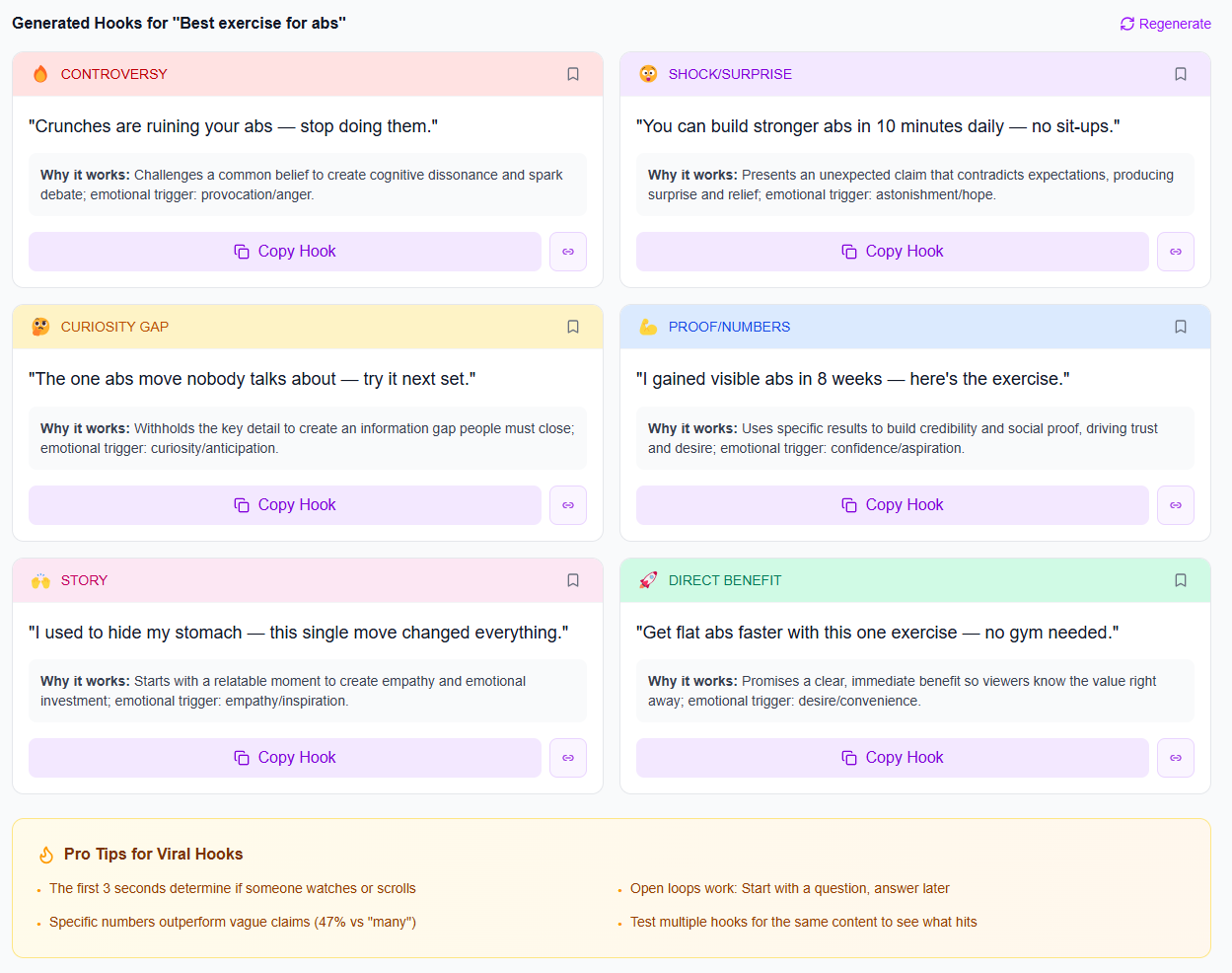
Here are 5 hook formulas you can adapt immediately:
• The “Common mistake” hook: “If you’re getting low views on YouTube, you’re probably doing this one thing wrong…”
• The “Do this instead” hook: “Stop using long intros—use this 12-word structure instead.”
• The “I tested it” hook: “I ran 30 thumbnail variations and found the pattern that lifted CTR…”
• The “Before/after” hook: “This is what changed my CTR from 3% to 7%—and why it works.”
• The “Speedrun promise” hook: “In the next 60 seconds, I’ll show you the exact thumbnail layout I use to get more clicks.”
Write hooks like a creator, not like a marketer. Example for a creator in the “gaming channel” space: “In the last 10 uploads, my best-performing thumbnails weren’t the prettiest—they were the ones with one clear reason to click. Here’s how to build yours in 5 minutes.” It’s specific, it’s personal, and it’s actionable.
Then match the hook to the first visual. If your hook says “I tested 30 thumbnails,” your first shot should show the test board or a quick montage—so the promise lands immediately.
CTR isn’t just aesthetics; it’s expectation management. Viewers click when your video matches their current goal or curiosity, and they bounce when the video feels misaligned.
Use these psychological levers:
1) Cognitive fluency (make it easy to understand). If your thumbnail is too abstract, the brain won’t process it fast enough. Fast processing increases clicks. Keep your message direct.
2) Information scent (signal relevance). When a viewer thinks, “This will answer what I’m wondering,” they click. Use search-intent language: “best,” “how to,” “template,” “setup,” “strategy,” “mistakes,” “step-by-step.”
3) Loss aversion (avoid pain). “Stop doing X” and “Don’t make this mistake” often outperform “Do this” because people strongly react to avoiding negative outcomes. Just don’t be misleading.
4) Identity signaling (make it feel for them). If your audience is primarily beginner creators, say so: “For small YouTubers under 10k subs…” If your audience is advanced, show the level: “CTR + retention breakdown with real numbers.” Identity reduces wrong-clicks because viewers self-select.
5) Expectation alignment between thumbnail, title, and first 10 seconds. This is huge. If your thumbnail says “CTR fixes,” but your intro spends 45 seconds on unrelated channel updates, viewers feel mismatch. That’s when YouTube may see lower retention and reduce future impressions.
To reduce wrong clicks, run a “promise audit” for every video:
Step 1: Write the promise in one sentence (what should viewers expect?).
Step 2: Check that your thumbnail text and title both contain the same promise language.
Step 3: In the first 10 seconds, deliver a visual or statement that confirms the promise.
Step 4: If you can’t deliver the promise immediately, adjust the thumbnail/title instead of forcing the viewer to wait.
The biggest CTR mistake is “set and forget.” YouTube rewards iteration. Treat each video as a test of a hypothesis: “If I show outcome + specific phrase, CTR will rise.” Your job is to test variations without changing everything at once.
Use a simple testing rhythm:
1) Track CTR by video and by surface when available. If you notice that one format consistently underperforms on browse, you may need clearer thumbnails or stronger hooks.
2) Change one major variable at a time. For example, keep the video topic the same but test two thumbnail families for the next upload (not five).
3) Build “thumbnail and hook couples.” A thumbnail promise needs a hook delivery that confirms it. Test them together across batches.
4) Use time windows. Early CTR matters because it affects initial recommendation velocity. Also evaluate performance over the first several days (or the first week) to understand stability.
Realistic example: suppose you publish “How to Transition from Side Hustle to Full Time on YouTube” (search-intent + identity). If CTR is low but watch time is strong, your thumbnail promise may not be clear enough. If CTR is high but retention is weak, your thumbnail may be attracting a broader audience than the content can deliver—tighten expectations or update the opening.
If you want a lightweight creator workflow, consider batching so thumbnails and hooks are planned before you hit “record.” If you’re currently scripting and scheduling in separate phases, you’ll often end up with weak alignment. You can improve this fast with the approach in The 90-Minute Batch Workflow: Script to Schedule a Week.
High CTR is not “more curiosity.” It’s clearer expectations—so the right viewers click, and the right viewers stay.
iBuildInfluence supports CTR mastery by helping you systematically plan, produce, test, and measure what works—without relying on guesswork. For thumbnail-and-hook creativity, the Hook Lab generates and scores viral hook ideas (50 hooks per topic, AI-scored), so you can pick hooks that match your video promise rather than writing randomly. Pair that with the Content Generator to turn one idea into complete scripts, captions, and structured talking points—so your first 30 seconds align with your title and thumbnail promise.
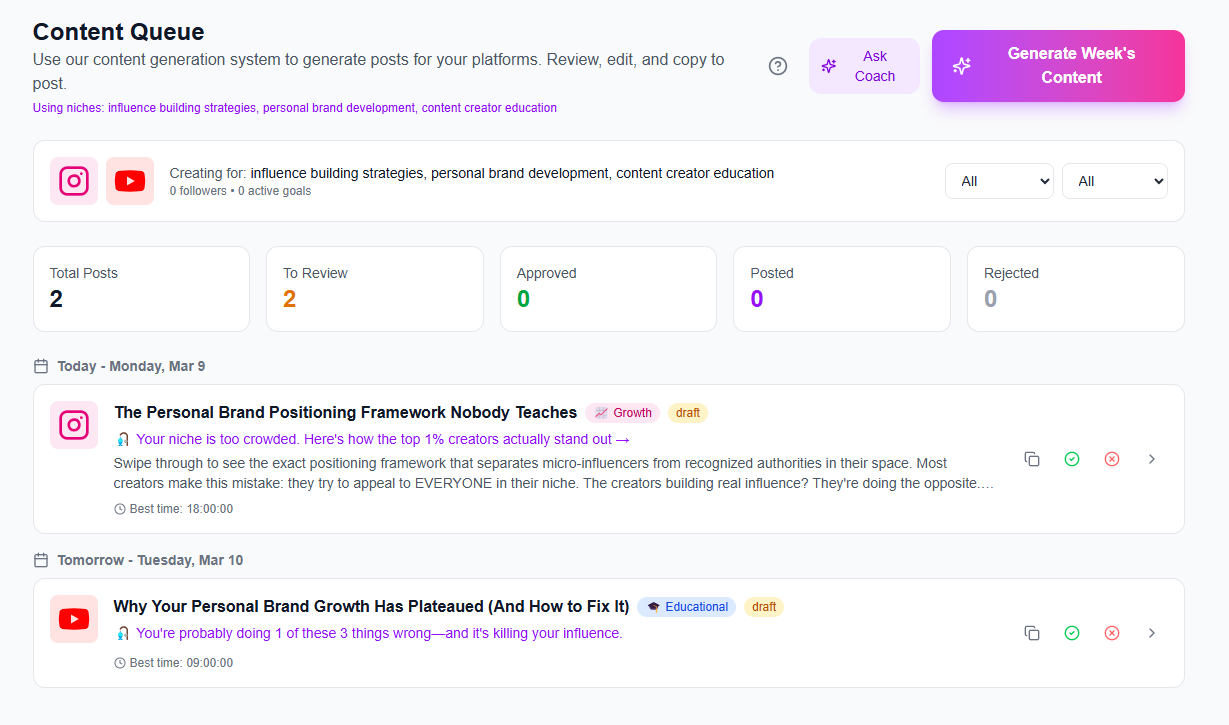
Then move from “creative” to “measurable.” With Social Statistics, you can analyze performance signals like engagement rate, reach, and how your content performs across platforms—useful when you’re learning how to get more views consistently. For execution, Content Planner & Content Queue helps you schedule multiple uploads so you can run controlled thumbnail/hook tests over a series, which is the fastest way to sharpen your YouTube CTR with a repeatable content creator workflow.
A common starting benchmark is around 4–8%, but CTR varies by niche, audience intent, and how clickable your thumbnails are. Focus on improving your CTR relative to your own past videos and ensure early retention doesn’t drop.
If views are rising, a low CTR may be acceptable temporarily, but it still limits long-term impressions. If watch time and audience retention are strong, swapping to a clearer thumbnail promise can raise CTR without sacrificing satisfaction.
Write hooks that include context + specific outcome + stakes, and make sure the opening delivers on that promise immediately. Avoid bait-and-switch: the thumbnail and first 10 seconds should confirm the same expectation so you get better “right-click” viewers.
CTR is an experiment input: higher CTR helps YouTube test your video more often, which can lift rankings.
Thumbnails should be promise-first: one focal point, one clear outcome, and readable contrast for phone screens.
Hooks must confirm expectations: context + specific promise + proof/stakes in the first 10–30 seconds.
Use viewer psychology to reduce wrong clicks: align thumbnail, title, and opening to self-select the right audience.
Iterate systematically: test one major variable at a time and track results over the first week.
Found this helpful? Share it:
iBuildInfluence Team
Creator growth strategist at iBuildInfluence. Helping content creators land brand deals, grow their audience, and build sustainable creator businesses.
More from iBuildInfluenceJoin thousands of creators using iBuildInfluence to land brand deals, grow their audience, and build real income.
Start Free ΓÇö No Credit Card Required