Content Strategy
Why Posting More Isn’t the Answer: Grow Smarter in 2026
July 9, 2026
Learn how to start a YouTube channel in 2026: setup checklist, niche selection, content workflow, and a practical 30-90 day growth plan.
Starting a YouTube channel in 2026 can feel intimidating—especially if you’re an influencer beginner with limited time and even less patience for trial-and-error. The good news: You don’t need “viral luck.” You need a clear setup, a niche people can find, and a repeatable content creator workflow that compounds over time. Here’s a step-by-step plan you can follow from day one through your first meaningful growth loop.
Before you publish anything, treat your channel like a storefront. In 2026, viewers decide fast—your channel art, banner clarity, and content promise matter as much as your first video. Create a channel name that’s easy to remember and doesn’t box you in too tightly. For example, instead of “Gadget Reviews NYC,” consider “Ben’s Tech for Real Life,” which still signals tech content but leaves room for future topics.
Next, optimize the fundamentals: profile picture, banner, About section, and channel trailer. Your trailer should be 30–45 seconds and answer three questions: who you are, what people get, and why they should believe you. A simple formula: “I post weekly videos on X to help you do Y. Here’s proof: Z.” If you’re an influencer transitioning from another platform, borrow your credibility—show your transformation results, audience outcomes, or behind-the-scenes process.
Finally, decide your upload cadence early. In most niches, consistency beats intensity. If you can only publish once per week, plan for it. If you can do two videos per week, awesome—but don’t force daily uploads. The YouTube algorithm rewards performance patterns, and patterns come from schedules you can actually sustain. If you’re also figuring out how to transition from side hustle to full time later, your channel needs to run on a workflow you can maintain even when motivation dips.
Many beginners pick a niche based on what they like today—not what they can systematically create for months. Instead, build a “topic ladder.” Start with one primary topic (the one you’ll be known for), then add supporting subtopics that naturally lead to the next video. This helps you avoid the classic problem of running out of ideas after 2–3 weeks.
Example ladders by creator type:
Education niche: Primary: “Personal Finance for Creators.” Subtopics: budgeting for beginners, taxes basics, sponsorship rates, and tools to manage content schedule as your income grows.
Entertainment niche: Primary: “Gaming Guides That Actually Help.” Subtopics: “settings that change everything,” “beginner builds,” and “how to improve aim fast.”
Lifestyle niche: Primary: “Plant-Based Meal Prep for Busy People.” Subtopics: grocery lists, 15-minute dinners, and “what to cook when you’re tired.”
To narrow your niche further, use a quick validation test: can you name 30 video ideas in under 45 minutes? If yes, you’re probably on the right track. If not, your niche is likely too broad or too vague. Also, consider viewer intent. A keyword like “how to get more views” typically signals beginners who want actionable steps. That’s great for growth because viewers actively search for solutions, not just entertainment.
You don’t need the best software for YouTubers—you need the best workflow for your capacity. In 2026, production gets easier when you separate “creative decisions” from “mechanical tasks.” Use a repeatable structure: research → hook → outline → record → edit → optimize → schedule.
Here’s a practical example workflow for an influencer beginner with a full-time job: pick one theme for the week, then produce content in batches. Batch your scripts and thumbnails, even if you record on different days. A strong batch approach could look like this:
Day 1 (2 hours): research + write 3 hooks + outline 2 videos
Day 2 (2 hours): record both videos back-to-back
Day 3 (2–3 hours): edit + draft titles/descriptions
Day 4 (45 minutes): thumbnail design + upload scheduling
Day 5 (30 minutes): community engagement (comments + pinned questions)
If you want a more detailed batching plan, this guide can help: The 90-Minute Batch Workflow: Script to Schedule a Week. It’s one of the simplest ways to protect consistency—especially when you’re learning your process.
Now let’s talk about the opening 15 seconds. Your hook isn’t a “vibe,” it’s a promise. Use one of these hook patterns:
Outcome hook: “In 7 days, I went from X to Y—here’s exactly what I changed.”
Contrarian hook: “Stop doing this if you want the YouTube algorithm 2026 to recommend your videos.”
Proof hook: “These analytics surprised me—watch what happened after the second upload.”
After that, structure your video like a mini-journey: problem → method → example → repeatable steps. Then end with a next-step call-to-action that fits the viewer stage (“Want the template? Comment ‘PLAN’ and I’ll send it in a pinned comment”). This is how you increase engagement signals without feeling salesy.
Growth isn’t one thing—it’s the combination of discoverability, watch performance, and audience trust. In your first 30–45 days, your goal is not “millions of views.” Your goal is to learn what your audience responds to. That means tracking which topics earn clicks, which hooks retain viewers, and which formats create repeat viewers.
Use this 30-90 day plan:
Days 1–30: Baseline + consistency
Publish 4–8 videos. Keep titles and thumbnails consistent in style so you train returning viewers to recognize you. After each upload, spend 20 minutes refining the next one based on what the first video taught you—especially average view duration and click-through rate.
Days 31–60: Double down + experiment
Choose your top two performers and create “follow-up siblings.” For example, if “Best beginner workflow for creators” did well, make “Creator workflow mistakes beginners make” and “Creator workflow template (free).” This is a practical way to compound relevance.
Days 61–90: Build a feedback loop
Start collecting audience feedback systematically. Ask a question at the end of every video, then read responses and turn them into your next titles. If you want a framework, this resource fits perfectly: Audience Feedback: The Quality Booster for Creators.
Also, don’t ignore distribution. Short-form content can support long-form by routing viewers to videos. But if you’re worried about “repurposing,” remember that the best version of your short-form is a teaser + context, not a clip dump. The viewer should feel like: “I need the full explanation.”
Finally, protect your momentum. One of the fastest ways new channels stall is by ghosting their own growth loop: they publish, then stop improving. If you want an approach to prevent that, consider running a lightweight tracker for deals, outreach, or performance goals. This guide is more about monetization, but the “don’t ghost the process” principle is transferable: 90-Day Brand Deal Tracker: Revenue, Ghosting & Fix.
“Your first YouTube channel isn’t for subscribers—it’s for learning. Every video is data. Treat it like a feedback loop, not a verdict.”
When you’re starting a YouTube channel in 2026, the hardest part is usually not recording—it’s the planning, packaging, and consistency system behind it. iBuildInfluence supports creators with Content Planner & Content Queue, so you can plan weeks of content and auto-schedule instead of scrambling last minute. That directly helps with the “tools to manage content schedule” problem most beginners hit once work and life get busy.
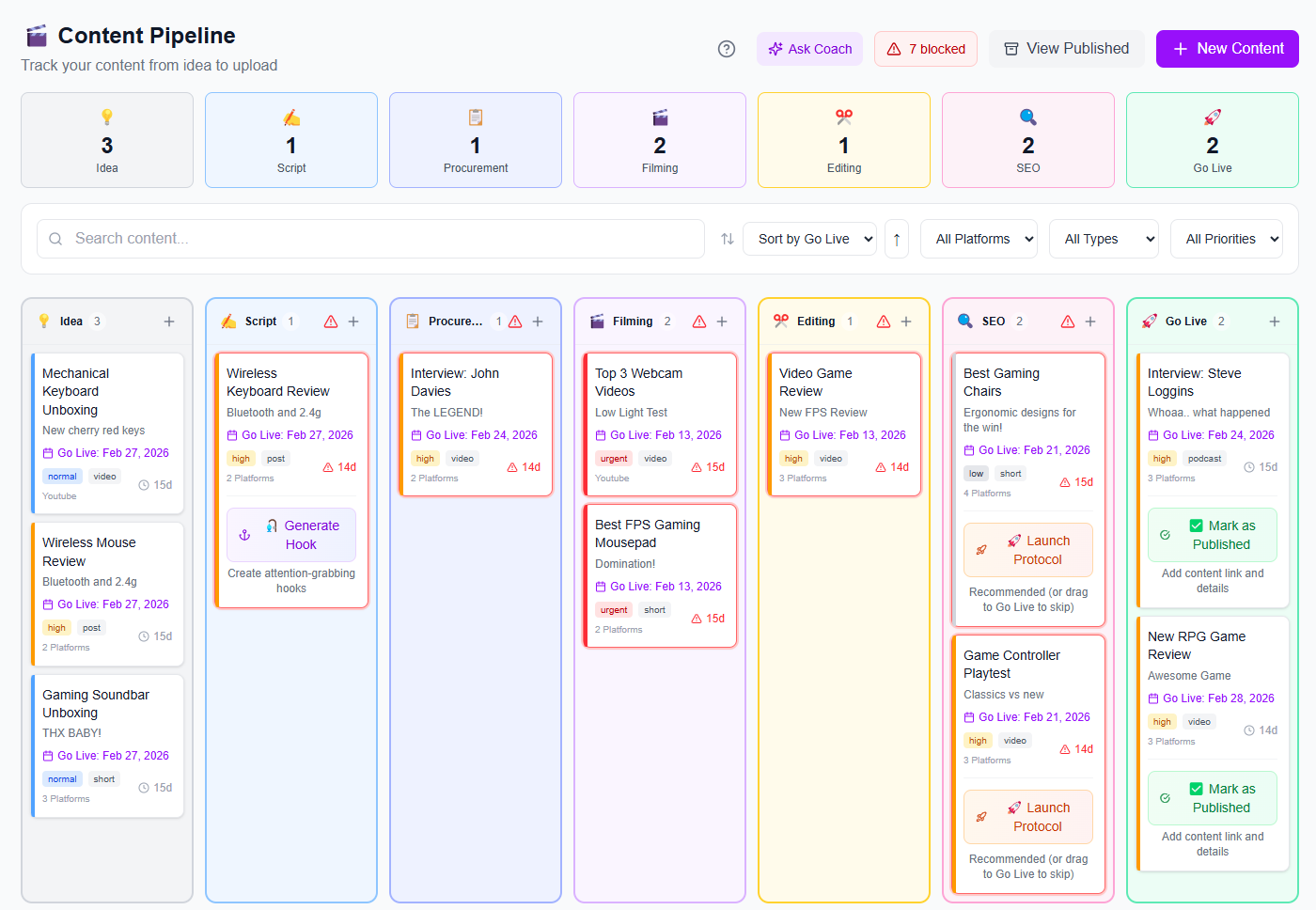
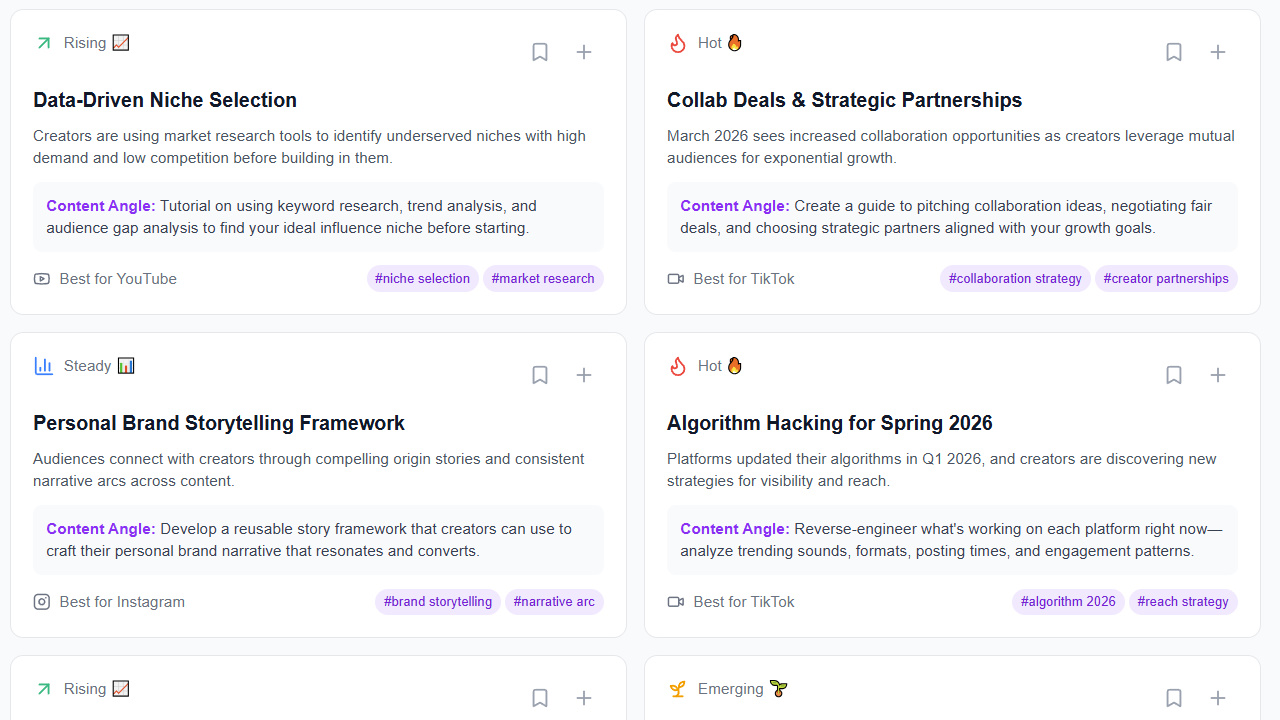
It also helps you improve your content decisions faster. Use Trend Scout to find topics before they peak, Hook Lab to generate and score hooks (so your openings aren’t guesses), and Social Statistics to track performance signals like reach and engagement rate across platforms. If you’re trying to build a content creator workflow that scales, these tools keep your channel learning loop tighter—without adding more busywork.
Start with a broad theme you can sustain for 6–12 months, then build a topic ladder with 30+ video ideas. Focus on viewer intent (tutorials, comparisons, how-to, and problem-solving tend to perform well for beginners). If you can’t generate enough ideas, narrow your niche until you can.
Post a “starter” video that clearly delivers value and explains your channel promise within the first minute. A good first set includes: one beginner tutorial, one proof-based explanation (your process or results), and one frequently searched “how to” topic in your niche. Then keep publishing consistently for at least 4–8 videos to gather performance data.
Most new channels need 30–90 days to establish a baseline and learn what performs. Some videos will take longer to gain traction because recommendations build over time, especially once your channel starts getting clearer signals. Your best strategy is consistency plus rapid iteration: refine hooks, titles, and formats using real results.
Set up your channel like a storefront: clear promise, optimized sections, and a strong channel trailer.
Choose a niche using a topic ladder—make sure you can generate 30+ video ideas quickly.
Build a repeatable content creator workflow (batching helps) so consistency doesn’t depend on motivation.
Follow a 30–90 day growth system: baseline performance, double down on winners, then collect feedback and iterate.
Use tools to reduce guesswork—planning, hook testing, and performance tracking speed up learning.
Found this helpful? Share it:
iBuildInfluence Team
Creator growth strategist at iBuildInfluence. Helping content creators land brand deals, grow their audience, and build sustainable creator businesses.
More from iBuildInfluenceJoin thousands of creators using iBuildInfluence to land brand deals, grow their audience, and build real income.
Start Free ΓÇö No Credit Card Required